
Properties
Create sale, purchase, tenant and rent-out records with contact, location, area, demand/price, photos and links.
Plots, contacts, deals and reminders — out of the register, into your pocket. Offline-first.
10K+Downloads
WorksOffline
CompleteDeal Flow
Data Backup& PDF Export
First, the app GUI is so simple and easy to understand. Second the color scheme is also good. Third, I like this app as it is solving my problems. I recommend this app for everyone.
Wahoo it's amazing app to use. It's been easy to list properties in it. Also the reminder feature is so good.
Very useful and handy app. It simplified all the task management related to property dealing......
Very easy in use almost all features are included in this app which we want regularly related to property matters as a dealer.
Best for property
Helpful porperty professionals
wonderful app 👏 👌 thank u
very good experience
Excellent
Nice app
The best
10K+ downloads across India, Pakistan, Nigeria, South Africa, Bangladesh, Malaysia, United States, Egypt & Indonesia — helping dealers manage their property book.
Inside the app today
Create sale, purchase, tenant and rent-out records with contact, location, area, demand/price, photos and links.
Capture type-specific details such as dimensions, rooms, floors, utilities and amenities. Add photos, links and videos.
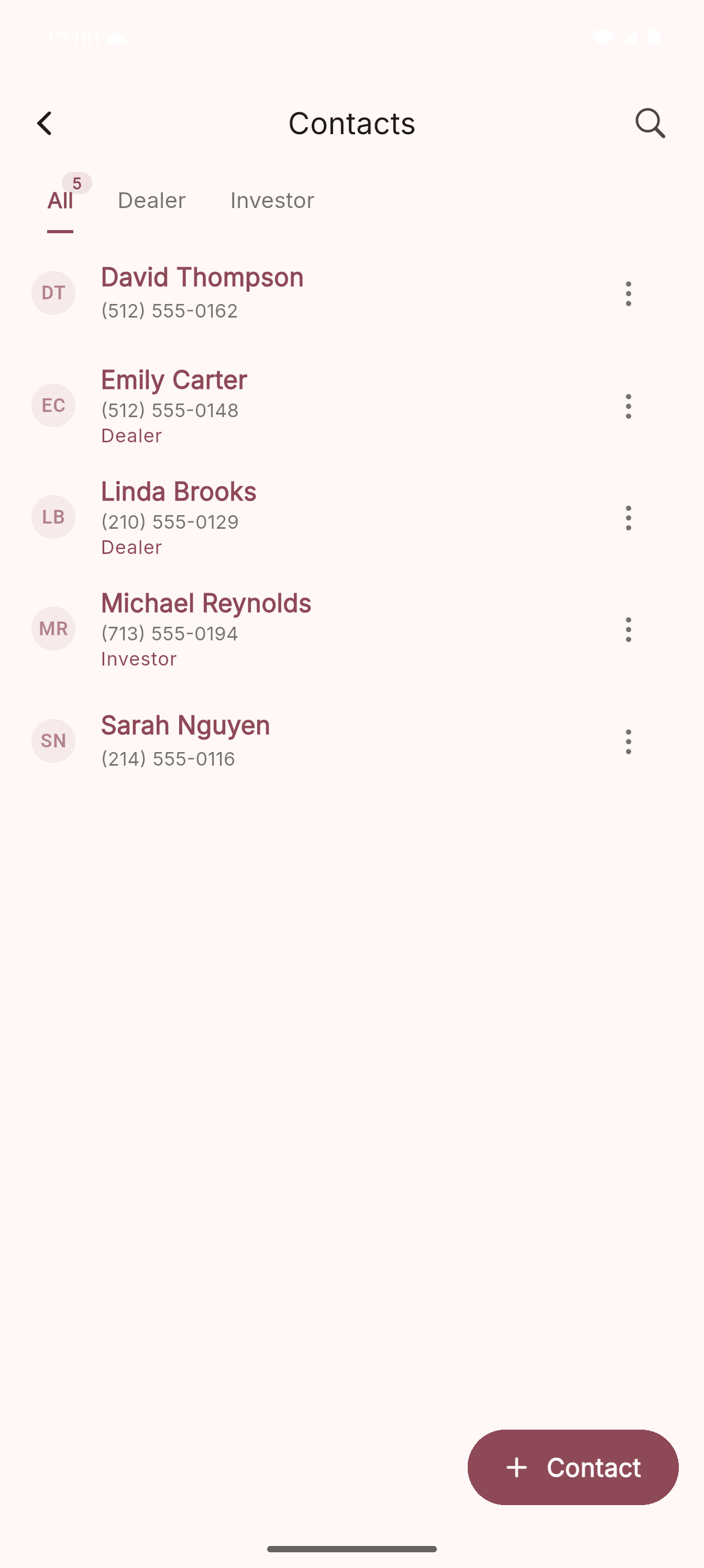
Save names, phone numbers, address, company or office, notes, email and website. Mark people as Dealer or Investor.
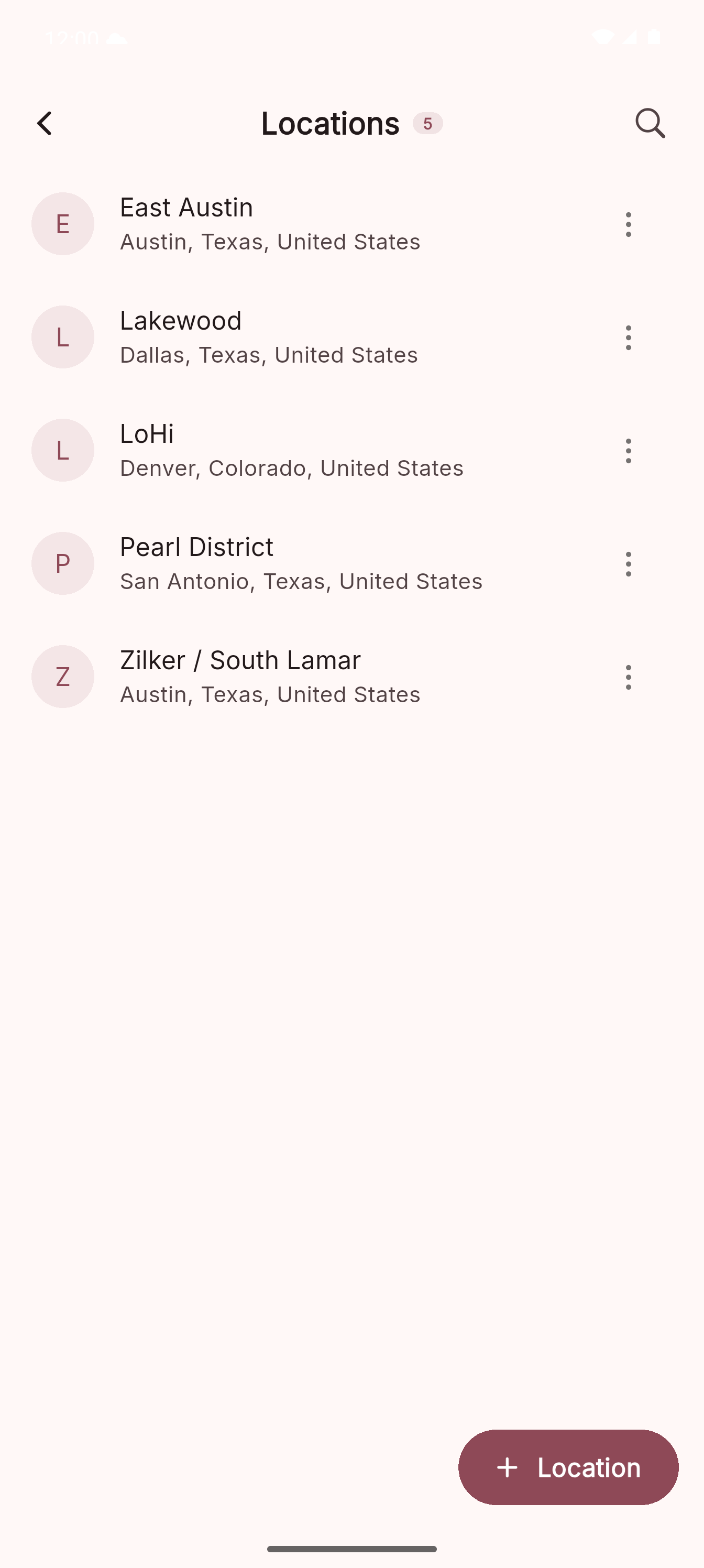
Save reusable countries, provinces or states, cities and location names so properties stay grouped by society, sector or area.
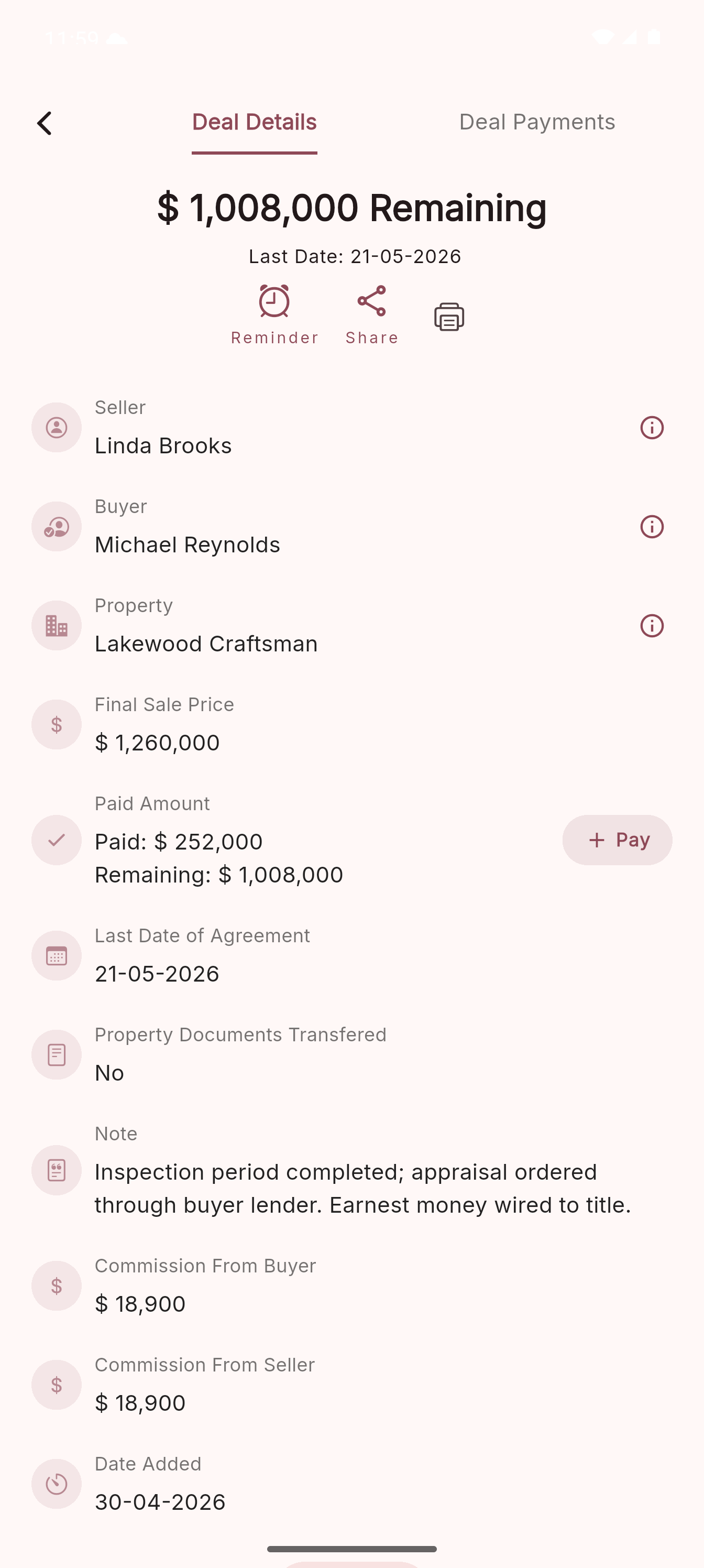
Create a deal from one property, seller and buyer. Track final sale price, agreement date, documents, commission and every payment.
Set dated reminders for contacts, properties or deals. Choose Call, Meeting, Site Visit or Other and receive local Android alerts.
Keep standalone notes for quick measurements, client updates or anything you want to search later.
Search properties, contacts, deals, locations and notes. Property search filters by purpose, location, type, area and unit.
Use built-in tools for quick property calculations, area estimates and unit reference while working in the field.
Open Backup from the app drawer, connect Google Drive, create manual or automatic backups, optionally include photos and restore on a new phone.
One real day — Property Form, contact actions, Deal Form, Deal Payments, Drive backup.
Open Properties, tap Add New Property. In the form, link the contact and set Purpose, Type, Area and Location. Save.
Pull up the property. Call, Message, Share and Reminder sit in the action row — one tap each.
When a customer walks in, search by area, type, purpose, location or property title. Shortlist targeted properties quickly and share the best matches.
Open Deal Form. The seller carries over from the property — add the buyer, final sale price and agreement date. Save: it opens in Deal Details.
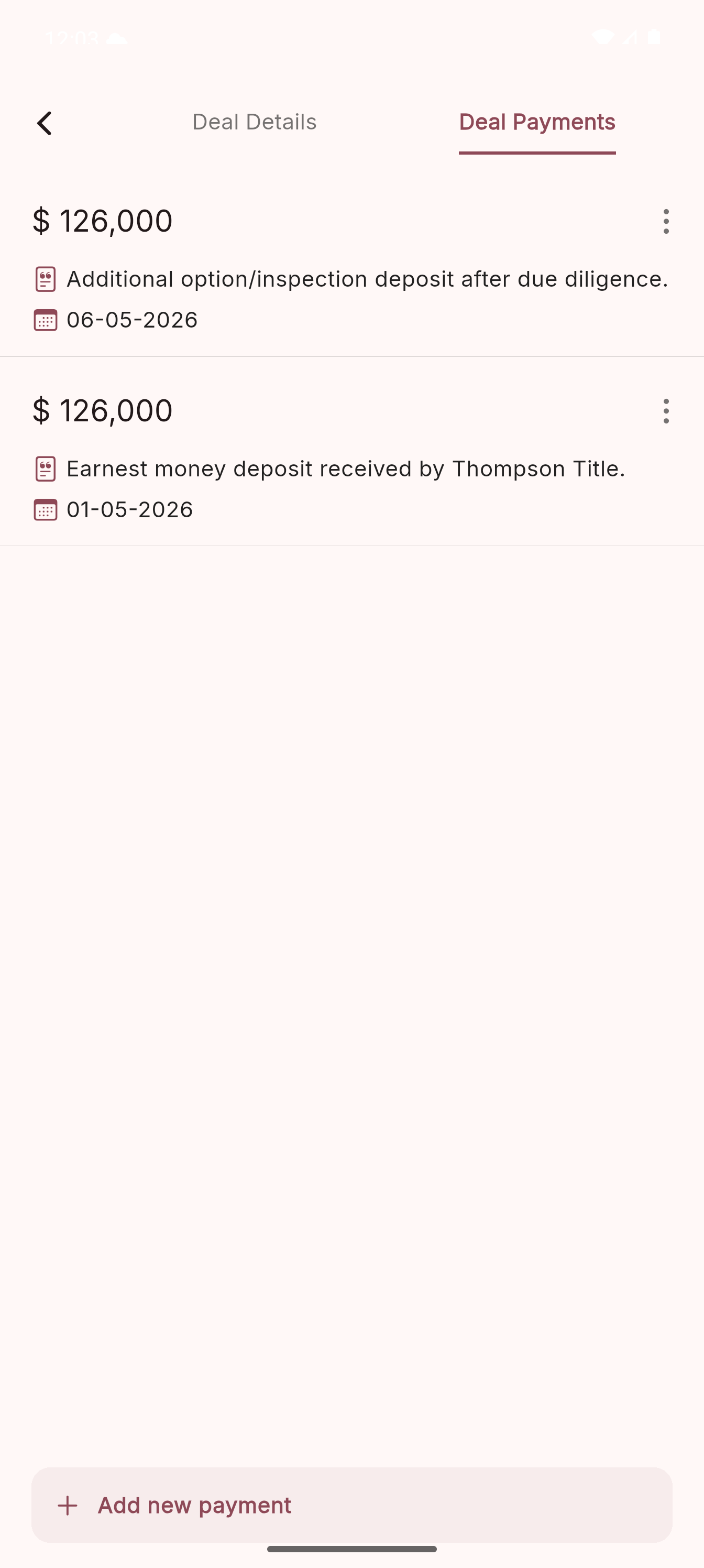
In Deal Details, tap Add beside Paid Amount. Enter the amount and date, confirm. Paid and Remaining update on the spot — and you can’t overshoot the balance.
Open Backup from the drawer. Connect Drive once, then tap Back Up Now. Database plus photos go up — the footer stamps Last: Today, 9:31 PM.
A quick look at the core flows: properties, deals, payments, contacts and locations — all using the same calm visual system.
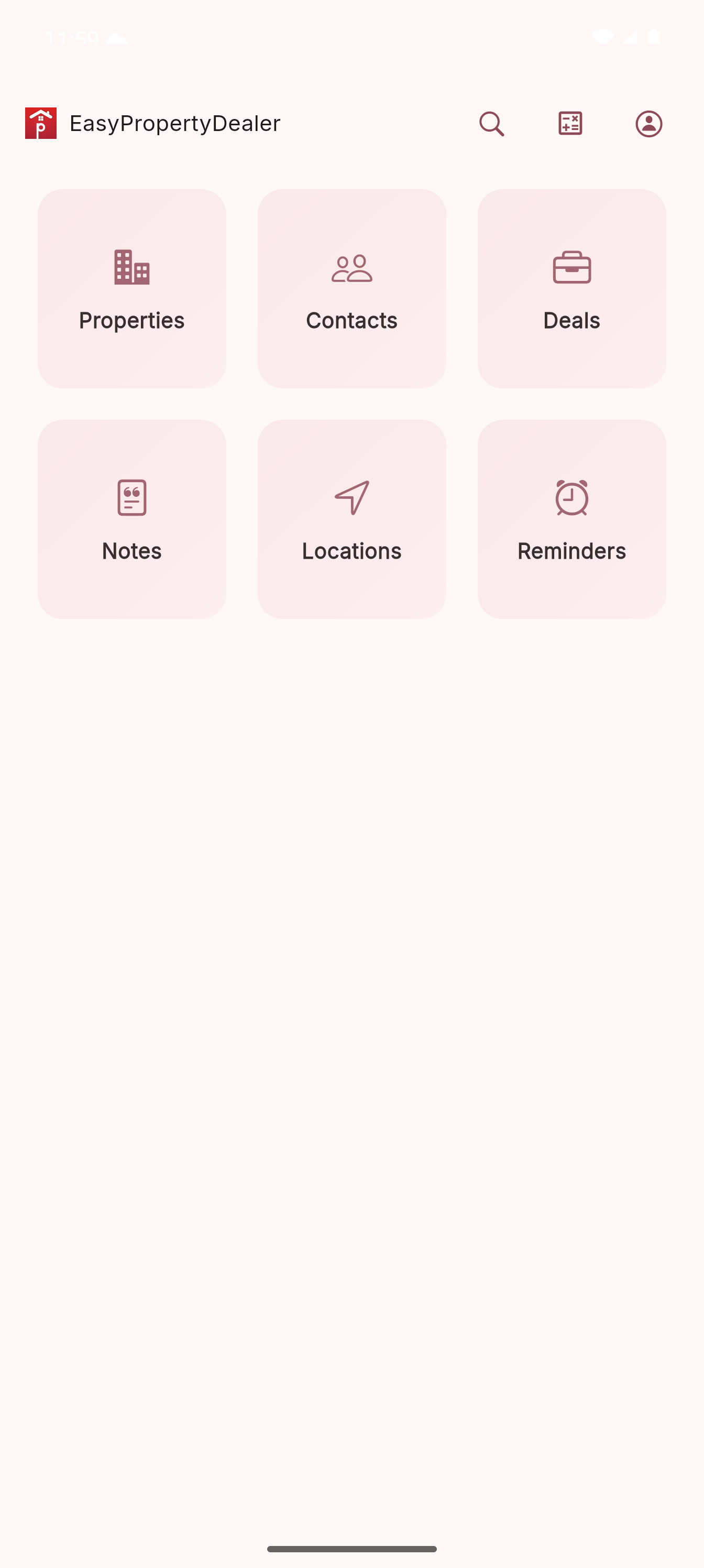
01
Six key areas, one tap away.
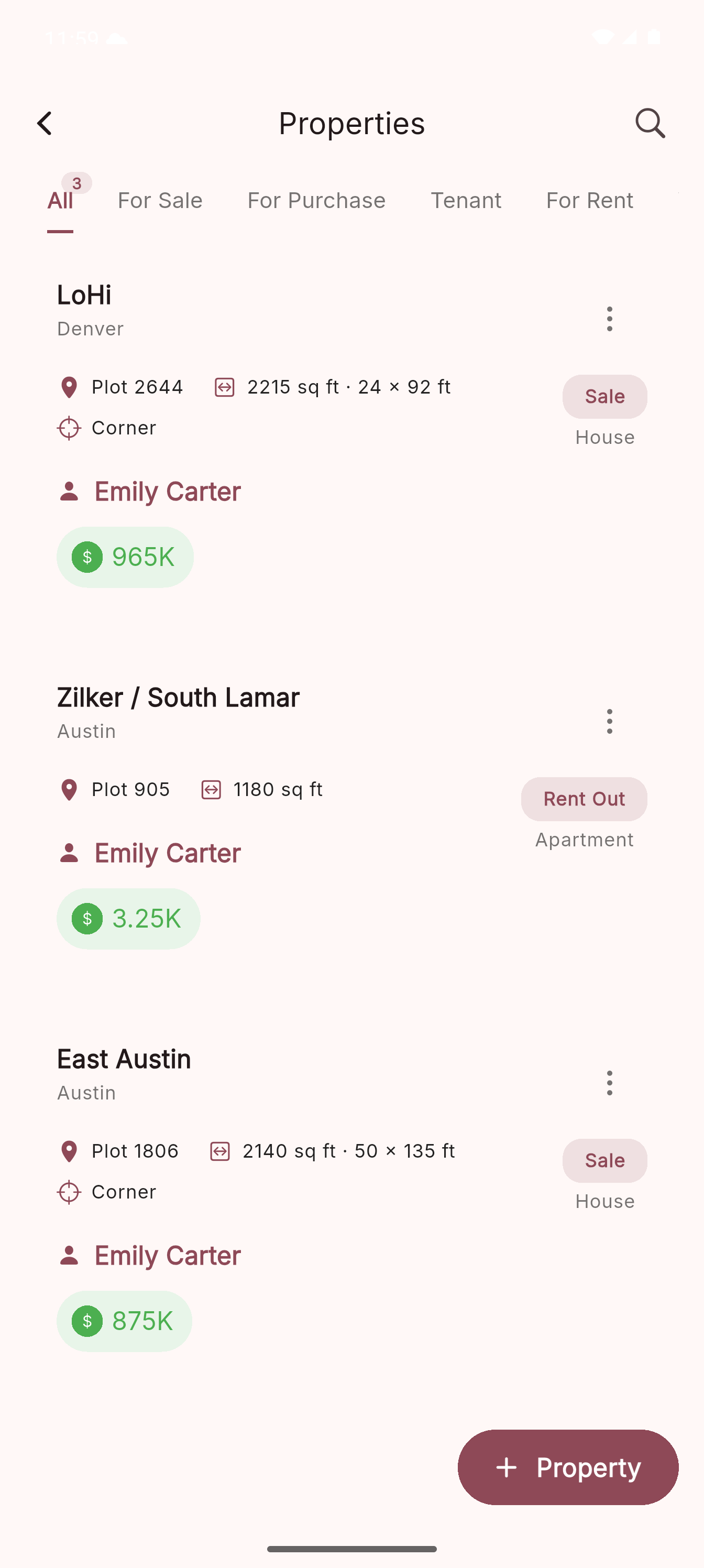
02
Your property book under one search field.
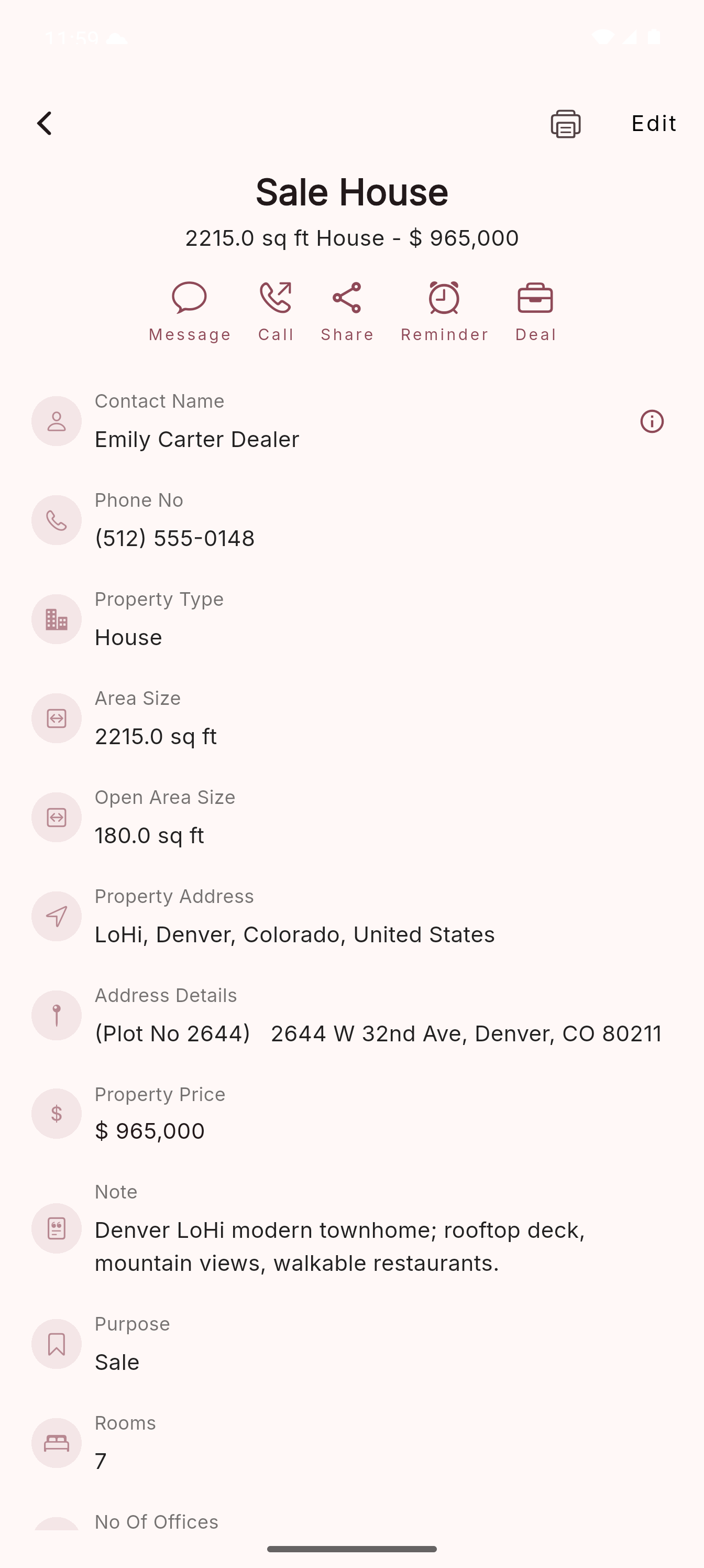
03
Key specs, owner and price in one view.
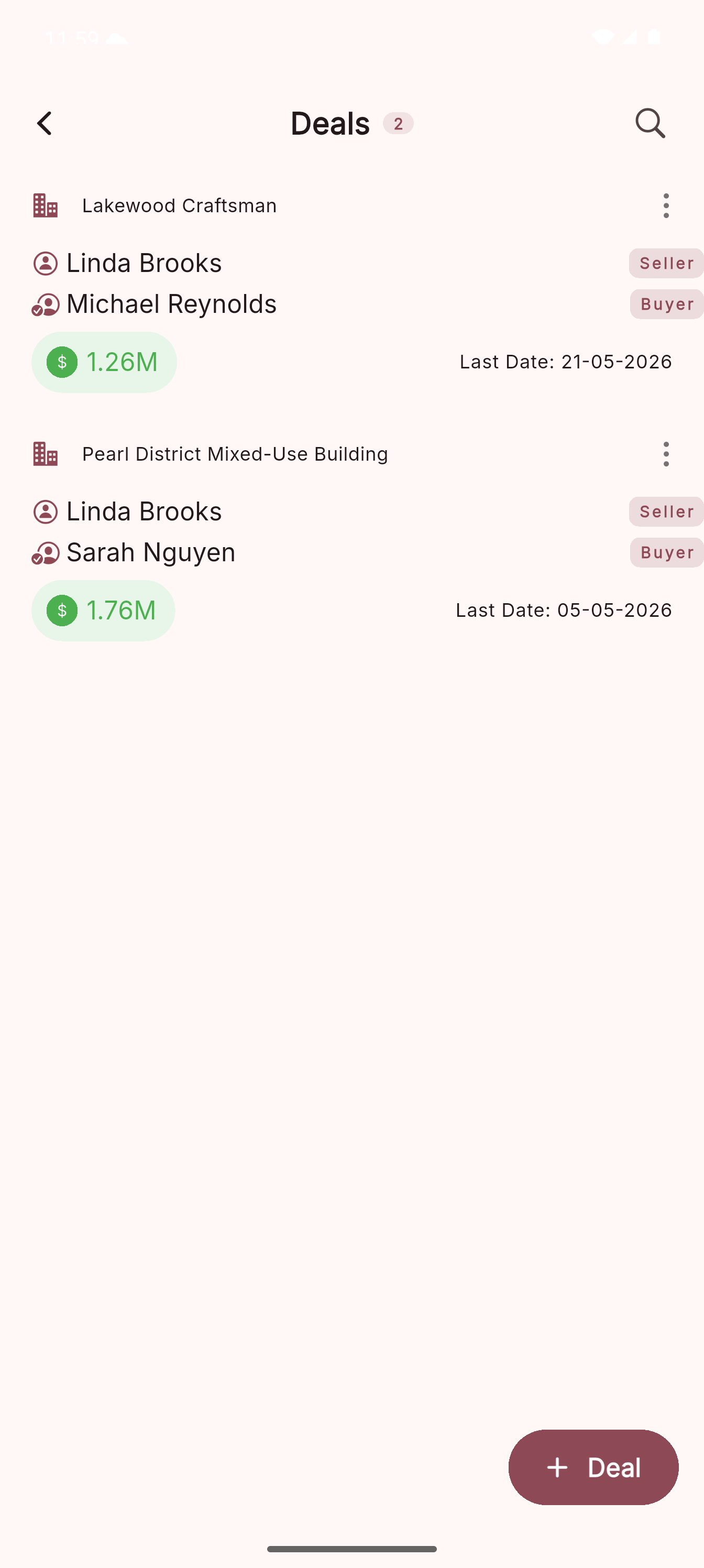
04
Property, buyer, seller and sale price at a glance.
05
Parties, price and closing date together.
06
Paid and pending amounts stay clear.
07
Call, SMS, share or set reminders fast.
08
Reuse saved countries, states, cities and areas.
Before EPD
With EPD
Can't find your question? Send it our way — we read every email.
Yes. For now, the core app is free to use: Properties, Contacts, Locations, Deals, Deal Payments, Reminders, Notes and Tools. Google Drive backup is also available from the app drawer; connect your Google Drive account inside the Backup screen. In the future, paid plans or paid features may be introduced, and we’ll keep the app clear about what is free and what is optional.
On your phone. Easy Property Dealer is local-first — your book is stored on the device. If you connect Google Drive, the app uploads a backup package to your Google Drive app data storage so you can restore it later.
Yes. Adding properties, contacts, locations, deals, deal payments, notes, reminders and calculations works offline. Internet is needed for Google Drive backup/restore, external links, update checks and Google Play services.
Yes. Settings includes theme and currency pickers, so prices can match the market you work in and the app can use your preferred color theme.
Not yet. Easy Property Dealer is currently available on Android. iOS is planned.
Yes. Open a deal and use its PDF/print action to preview, print or share the deal PDF from Android's standard share options.
No. Easy Property Dealer is not a fintech, wallet, escrow or money-transfer app. Deal Payments only help you record amounts you enter yourself, such as paid and remaining balances, so your property book stays organized.
If you've created a Drive backup, no. Install Easy Property Dealer on the new phone, open Backup from the app drawer, connect the same Google account and restore the latest backup.
The app includes built-in tools for quick calculations, area estimates and common unit reference while working in the field.
Android 7.0+ · 4.5★ on Google Play · iOS planned